

Windows • ウォーターマーク • バッチ
iWatermark Pro 2 Windows版
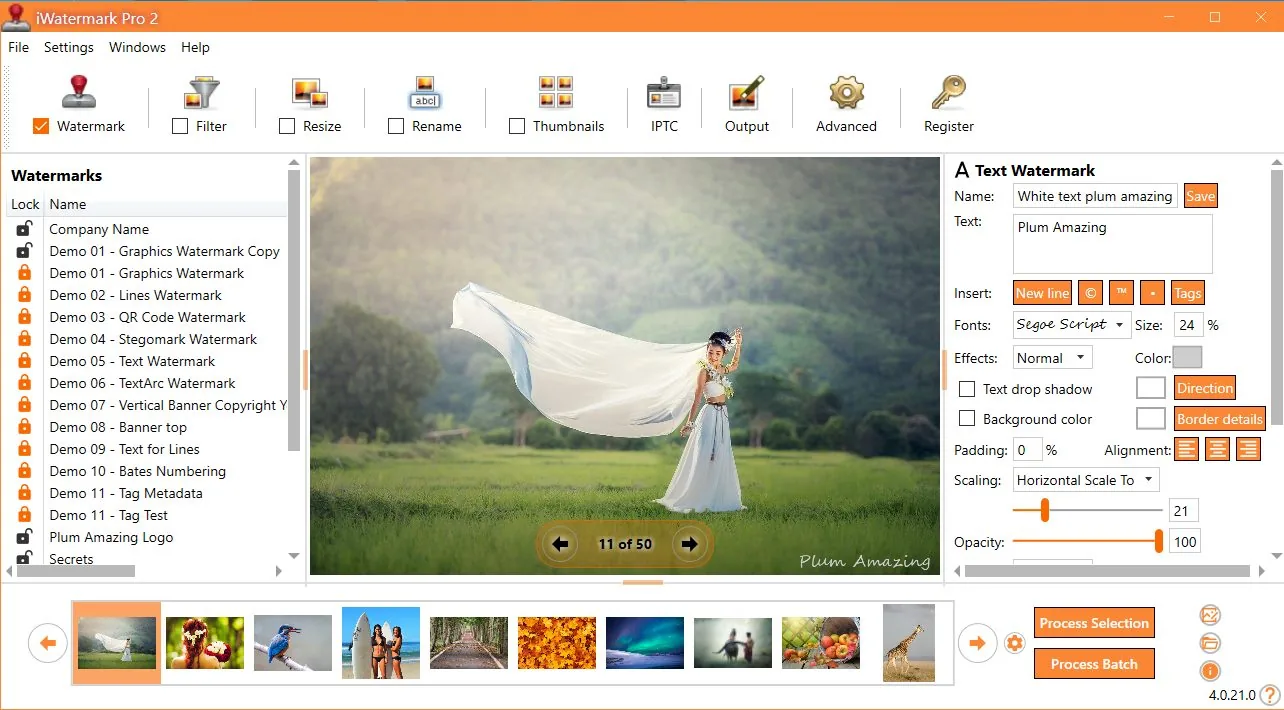
主な機能
バッチワークフロー
1枚から数千枚まで一貫した配置で。
多様なタイプ
テキスト、ロゴ/PNG、ベクター、QR、EXIF/IPTC、StegoMark。
プロ出力形式
JPG/PNG/TIFFなど、リネーム/リサイズ対応。
モダンWindows UI
性能、明瞭さ、生産性に焦点。
メタデータ
帰属と詳細を維持。
変更履歴
新機能と変更を 変更履歴で確認。
ウォーターマークタイプ

主な特長
iWatermark Pro 2 for Windows の主な特長の一部。
- フォルダ全体を一括ウォーターマーク
- 複数ウォーターマーク同時使用
- プリセットのインポート/エクスポート/共有
- 一貫した出力サイズにスケール
- サムネイル作成
- テキストまたはPNG/TIFFロゴ
- 透明度設定
- 回転、スケール、任意配置
- 効果:シャドウ/エンボス
- メタデータ保持(EXIF/IPTC/XMP)
- 多様な画像形式
- QRコードウォーターマーク
- 座標による一貫配置
機能スナップショット
| ウォーターマークタイプ | テキスト、ロゴ/PNG、QR、メタデータ、不可視 |
|---|---|
| ワークフロー | 単体またはバッチ、テンプレート/プリセット |
| 出力 | リサイズ/リネーム、複数形式 |
| メタデータ | EXIF/IPTC/XMPを保持 |
| 最良の参照 | マニュアル (スクリーンショット + 完全ワークフロー) |
iWatermark Pro 2 のウォーターマークタイプ
iWatermark は「テキスト + ロゴ」を超え、複数の可視・不可視タイプを含みます。
| タイプ | 可視性 | 対象 | 説明 |
|---|---|---|---|
| Text | 可視 | 写真と動画 | メタデータ含む任意のテキスト;フォント、サイズ、色、回転など。 |
| Text Arc | 可視 | 写真と動画 | 曲線パス上のテキスト。 |
| Banner | 可視 | 写真と動画 | 任意の辺/上下の帯テキスト。 |
| Bitmap Graphic | 可視 | 写真と動画 | ファイルから透明PNGロゴ。 |
| Lines | 可視 | 写真と動画 | ストック会社向け調整可能ライン。 |
| QR Code | 可視 | 写真と動画 | URL/メール等をエンコード;画像からスキャン。 |
| Metadata | 不可視 | 写真と動画 | ファイル内IPTC/XMPに情報追加。 |
| StegoMark | 不可視 | 写真と動画 | 画像データに情報を埋め込む独自方式。 |
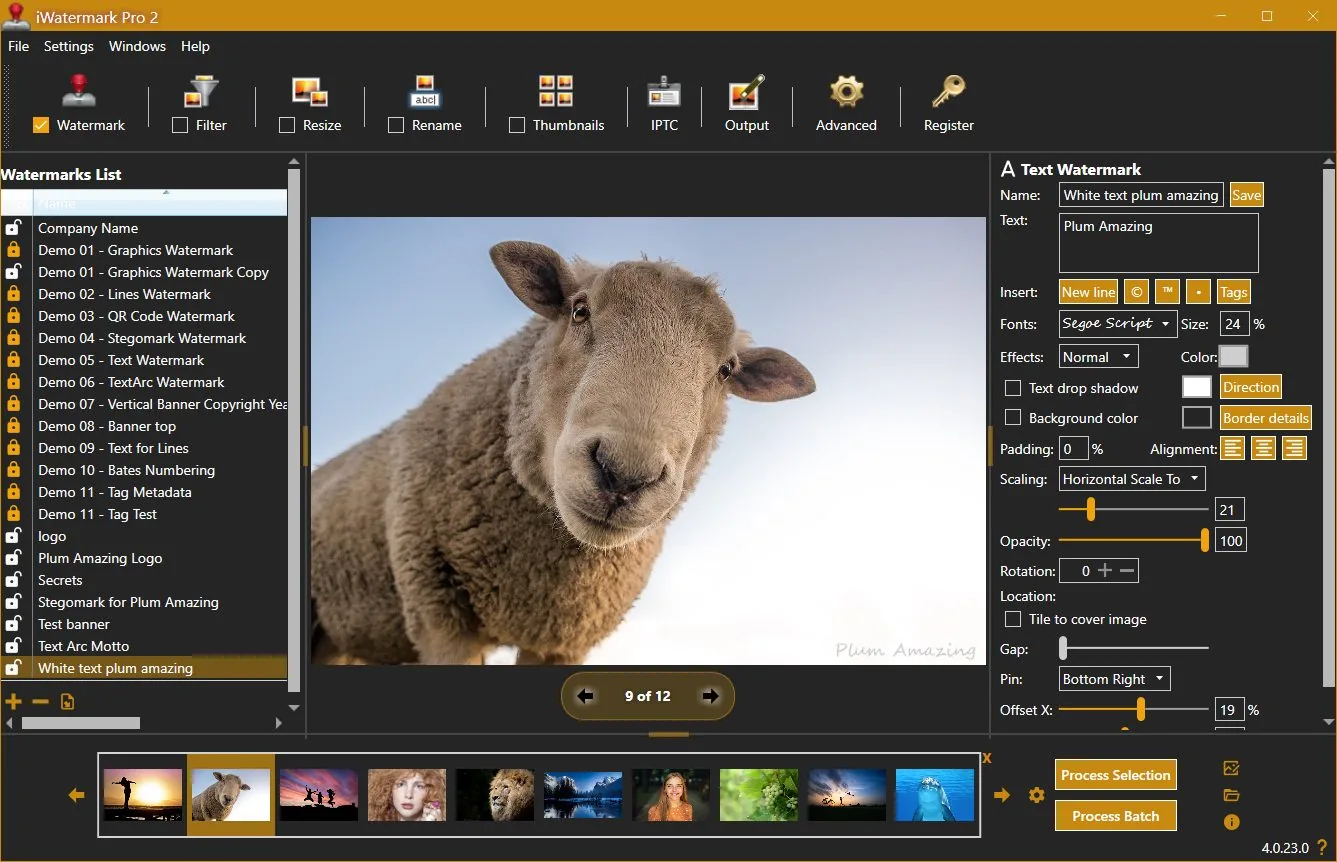
ウォーターマーク専用UI
レビュアーの声
「iWatermark Proは最も機能豊富なウォーターマークソフトです…」
— Thomas Boldt
「写真がある?著作権のためにウォーターマークを。」
— Jeffrey Mincer
「これほど包括的なものはない…」
— Daniel M. East
ユーザーの声
「配置が画像辺のパーセント基準で、ロゴ位置が常に同じ。」
— Scott Baldwin
「最高の$20の投資…」
— Diane Edmonds
「最も簡単で費用対効果が高い…」
— Peter Kearns
「売上が上がった…使いやすい。」
— Chris
「無断使用を止めるのに役立った。」
— Jon Wright
「iWatermark購入前に写真が盗まれた…」
— Southpaw Steve
変更履歴
4.0.35
update📝 Changes
- Updated new registration area to accept the Lemon Squeezy license key.
🔧 Improvements
- Updated new registration area to accept the Lemon Squeezy license key.
4.0.34
update📝 Changes
- General improvements and fixes.
🔧 Improvements
- General improvements and fixes.
4.0.32
minor📝 Changes
- This version of iWatermark Pro 2 resolves high memory usage issue and minimizes memory after it finishes processing. Optimizing the memory has increased the speed and eliminated previous issues.
- Fixed the 'Failed to process watermark'. message which occured in the previous version in some situations.
- Now the installer is a self contained package. It no longer needs to install .Net Core 3.1.19 separately.
- New item added to the Output Folder Hierarchy drop down menu is US date format for naming the top folder (requested by user) and the current time is used for the name of subfolders.
- Minor refinements in the UI, grammar and spelling
✨ New Features
- New item added to the Output Folder Hierarchy drop down menu is US date format for naming the top folder (requested by user) and the current time is used for the name of subfolders.
🔧 Improvements
- This version of iWatermark Pro 2 resolves high memory usage issue and minimizes memory after it finishes processing. Optimizing the memory has increased the speed and eliminated previous issues.
- Now the installer is a self contained package. It no longer needs to install .Net Core 3.1.19 separately.
- Minor refinements in the UI, grammar and spelling
🐛 Bug Fixes
- Fixed the 'Failed to process watermark'. message which occured in the previous version in some situations.
4.0.0
major📝 Changes
- Next generation watermarking engine
- Advanced AI-powered features
- Professional workflow integration
✨ New Features
- Next generation watermarking engine
- Advanced AI-powered features
- Professional workflow integration
Reviews & articles
Curated links and excerpts adapted from the legacy iWatermark Pro 2 for Windows page.
- Mac Informer Review (6/3/2021)
- Best Photo Watermarking Software 2020
- Top 10 Best Photo Watermarking Software in 2020 — Filmora (1/15/2020)
- Review of iWatermark Pro for Windows — Tarekma (12/9/2019)
- Photo Review: iWatermark Pro 2 released for Windows 10/11
- “The Best Watermarking Software 2018” — Thomas Boldt, SoftwareHow
- Review by GIGA (German) (7/15/2016)
- Compendium of reviews (Pinterest)
- iOS iWatermark reviews (1500+ 5-star reviews)
- “Got Photos? Put A Watermark On Each To Claim Your Copyright” — Jeffrey Mincer
- SlideToMac (Italian magazine)
- SMMUG Review of iWatermark Pro — L. Davenport (PDF)
- Thorough review in Swedish — Henning Wurst
- PC World Review
- ATPM review — Chris Dudar
- Macworld review — Jay Nelson
- Macworld “Mac Gems” — Dan Frakes
- Digital Camera Magazine article (PDF)
- Comparison of Visible (iWatermark) vs Invisible (DigiMark) watermarking
Selected excerpts
“iWatermark Pro is by far the most feature-packed watermarking software I reviewed… QR code watermarks and even steganographic watermarks…”
— Thomas Boldt, SoftwareHow
“It is a good application for its primary purpose… and it accomplishes this job easily and with some great additional features…”
— Chris Dudar, ATPM
“If you need to add watermarks to a lot of images, iWatermark provides a big bang for your buck…”
— Jay Nelson, Macworld
“The beauty of iWatermark is its combination of ease of use and functionality… I’ve yet to see a better solution…”
— Dan Frakes, Macworld
“How can you protect your pictures? … Just drag a single picture or a folder full of pictures… specify the watermark text… or a watermark image…”
— Dave Johnson, PC World
User raves
(These are also featured on the Info tab — keeping them in both places for visibility.)
“One thing I like… placement… is based on a percent of the picture side, not a specific number of pixels…”
— Scott Baldwin
“This program has saved me sooo much time to quickly watermark a folder of photos and send it off…”
— Diane Edmonds, YourWavePics.com
“...yours is without doubt the easiest and most cost effective I have come across…”
— Peter Kearns, pfphotography.co.uk
“...my sales have gone up… great product… best of all EASY to use.”
— Chris, Action Digital Photography
“...It has helped to stop unauthorized use of our work…”
— Jon Wright, J&K Creative
“I list houses on craigslist… got some of my pics hijacked BEFORE I bought iWatermark…”
— Southpaw Steve
No tutorials available for this app.
Product Manuals
Product Manuals
Select your platform and app to view the complete manual in a new window.
No previous versions available for this app.